
Dog Cameras for Home Check-Ins
See what your dog is doing, hear the room, and choose features that fit your home setup.
Last updated:
Quick answer
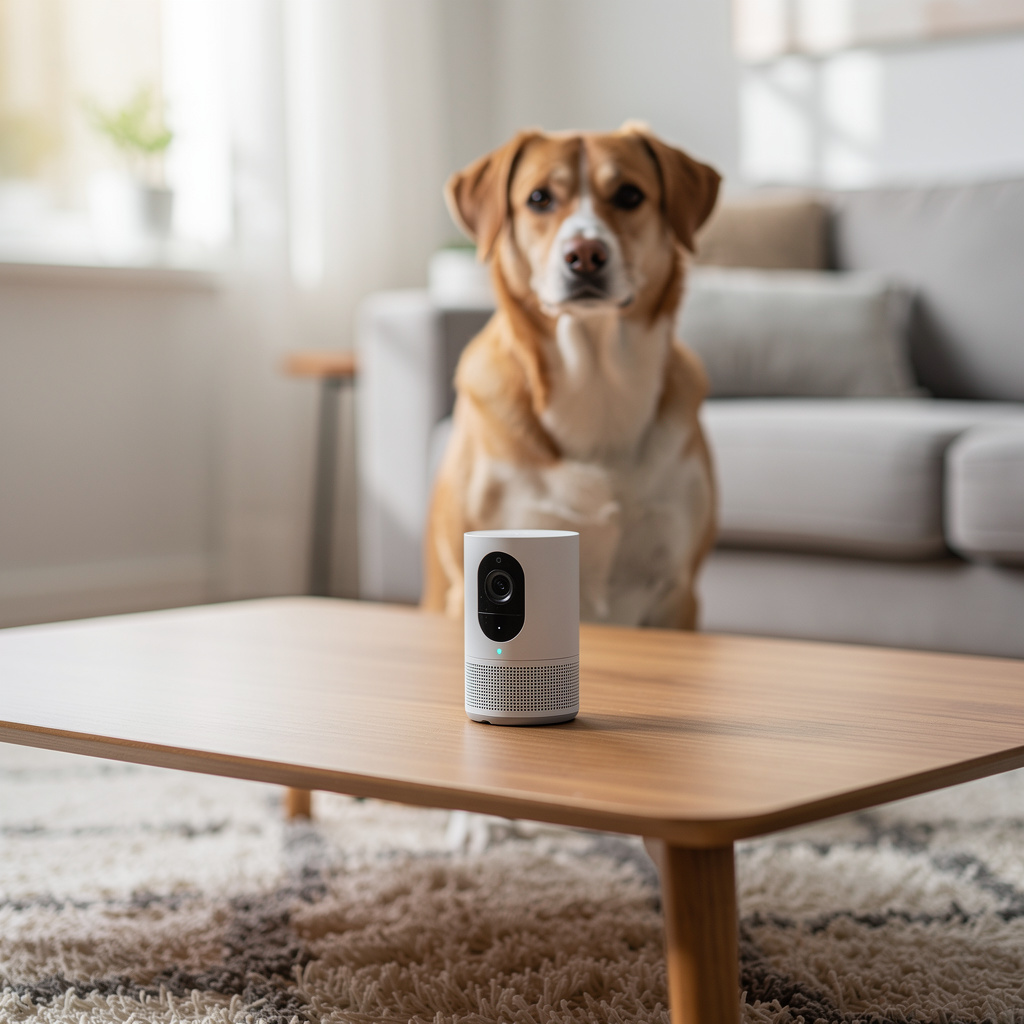
Dog cameras are made for one simple job: helping you check on your dog from another room or another place.
- Updated for 2026
- Source-backed comparisons
- Reader-first buying guides
- Transparent affiliate disclosure
Dog cameras are made for one simple job: helping you check on your dog from another room or another place. They are not all built the same. Some are best for watching a crate or bed. Others can pan across a whole room, zoom in on movement, or send alerts when your dog barks or crosses the frame. The right choice depends on where you will place it and what you want to see most.
A small apartment, a large living room, and a crate corner all call for different camera features. A fixed camera can work well if you only need one clear view. A pan-and-tilt model makes more sense when your dog moves around the room. Two-way audio can help you listen in or speak through the camera, while night vision matters if the room stays dim or your dog settles after dark. Storage also matters if you want to review clips later instead of only watching live.
PetGearAdvisor focuses on the practical side: which view is useful, which app is easy to use, and which specs match real daily use. That means comparing camera angle, app alerts, video quality, motion settings, and storage in plain language. When you look at dog cameras this way, it becomes easier to skip features you will never use and focus on the ones that make check-ins quick, clear, and calm.
Key highlights
- Match the view to the room
- Check night vision before buying
- Use alerts that fit your routine
- Compare live view and recording
- Look for simple app controls
How to choose (and common mistakes)
Start by mapping the spot you want to watch. If you only need to see a crate, bed, or door, a fixed camera may be enough. If your dog moves across a larger room, a pan-and-tilt camera can reduce blind spots. Check whether the camera gives a wide enough view, clear video in low light, and an app that opens fast. Motion alerts should be useful, not constant.
Also think about sound and storage. Two-way audio helps if you want to hear barking or speak through the camera, but the speaker should stay clear at normal volume. For recording, decide if you want clips saved to the app or a card. Common mistakes include buying for features you will not use, placing the camera too low, and ignoring glare from windows or lamps. Always test the view before you settle on a final spot.
⚡ Quick Picks: Dog Cameras
Three strong options to start with. Pick one that matches your goal, then jump to the guides below.

Tapo C210P2 Pan/Tilt Security Camera 2-Pack
This camera offers 360° horizontal and 114° vertical pan/tilt range to cover an entire room or walkway. It includes motion detection, two-way audio, a siren, night vision, and supports cloud and SD card storage, with compatibility for Alexa and Google Assistant.

TP-Link Tapo 1080P Indoor Security Camera
This indoor camera features 1080P video, motion detection, two-way audio with a built-in siren, night vision, and supports cloud and SD card storage. It works with Alexa and Google Home and can be used via a phone app to monitor pets or other indoor spaces.

Tapo TP-Link 2K Pan Tilt Security Camera
This camera offers 360° horizontal and 114° vertical pan and tilt coverage, motion detection, two-way audio, night vision, and supports cloud and SD card storage up to 256 GB. It is compatible with Alexa and Google Home.
Carefully selected Dog Cameras tested for quality and value by PetGearAdvisor experts.
Related Topics
Activity Monitors
Smart Collars
GPS Trackers
Latest Guides
New guides are on the way — check back soon.
How We Choose & Recommend
Short, practical guidance first—then product picks when you are ready.
- We compare features and real-world use cases for Dog Cameras.
- We scan user feedback for patterns (not one-off opinions).
- We call out trade-offs so you can pick confidently.
FAQ
What type of dog camera fits a small room?
For a small room, a fixed camera often works well because one angle can cover a crate, bed, and doorway without extra movement. Look for a wide field of view, clear app playback, and night vision if the room gets dim. If you only need one watch point, skip extra pan features and test the corner placement first.
When should I choose a pan-and-tilt camera?
Pick pan-and-tilt if your dog moves from one side of the room to the other or you want to scan more than one spot. These cameras can turn to follow movement and help cut blind areas. Check how fast the camera moves, whether the app controls feel smooth, and avoid mounting it where furniture blocks the swing path.
Is two-way audio useful for dog cameras?
Two-way audio is handy when you want to hear barking, room noise, or collar jingle and then send a short voice message back. It works best when the speaker is clear and the microphone does not cut out during normal home noise. If you only want silent video checks, treat audio as optional and verify volume before setup.
How important is night vision for a dog camera?
Night vision matters if your dog rests in a dark room, sleeps near the camera, or stays in a space with low lamp light. It lets you see shape, movement, and location after dark. Check whether the image stays sharp across the full room, and avoid aiming through reflective glass or bright windows.
What storage setup should I look for?
Choose storage based on how you want to review footage. If you only need live viewing, storage matters less. If you want clips from motion alerts or barking, compare app-based cloud storage with local memory card storage. Check clip length, how long videos stay saved, and whether review is easy on the phone.
How do I keep alerts from becoming annoying?
Start with a lower sensitivity setting and narrow the alert area to the part of the room you care about most. That can reduce notices from a passing shadow, fan, or shifting curtain. If the app allows it, turn off alerts for busy times and test the setup for a day before changing more settings.
Related in this hub
🐾 Our Top 3 Dog Cameras
Tapo C210P2 Pan/Tilt Security Camera 2-Pack
This camera offers 360° horizontal and 114° vertical pan/tilt range to cover an entire room or walkway. It includes motion detection, two-way audio, a siren, night vision, and supports cloud and SD card storage, with compatibility for Alexa and Google Assistant.
TP-Link Tapo 1080P Indoor Security Camera
This indoor camera features 1080P video, motion detection, two-way audio with a built-in siren, night vision, and supports cloud and SD card storage. It works with Alexa and Google Home and can be used via a phone app to monitor pets or other indoor spaces.
Tapo TP-Link 2K Pan Tilt Security Camera
This camera offers 360° horizontal and 114° vertical pan and tilt coverage, motion detection, two-way audio, night vision, and supports cloud and SD card storage up to 256 GB. It is compatible with Alexa and Google Home.
Carefully selected Dog Cameras tested for quality and value by PetGearAdvisor experts.